
Genshin Impact PC File Size and Storage Requirements
Discover how big is Genshin Impact on PC in 2026 with our detailed guide—plan for 110 GB to ensure smooth updates and optimal gameplay.
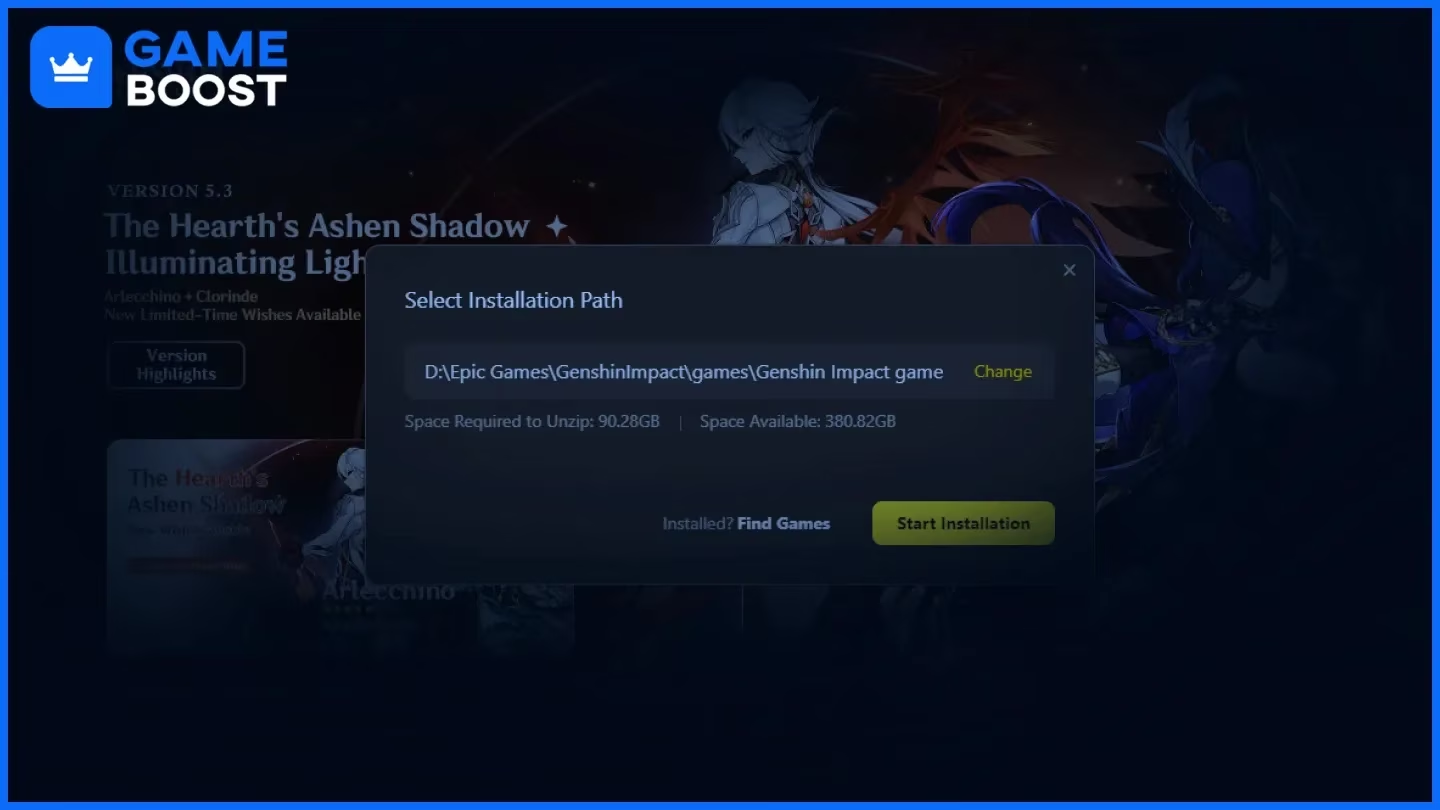
If you're about to install Genshin Impact on a Windows PC, the first question is usually the obvious one: how much space is this actually going to eat? In 2026, the answer is bigger than a lot of players expect. How big is Genshin Impact on PC is still one of the most common questions from both new and returning Travelers, and the short version is this: the game now takes a little over 90 GB once fully installed, while a much safer target is closer to 110 GB of free space so updates and temporary files do not become a headache. In this guide, we’re breaking down the full storage picture, from the initial download to cleanup options and platform comparisons, so you know exactly what to plan for before installing.
How Big Is Genshin Impact on PC in 2026
To really answer how big is Genshin Impact on PC, you have to separate the process into stages. It is not just one neat download number.
The HoYoverse launcher is tiny by comparison, sitting at around 172 MB. You can grab it from the official HoYoverse site or through the Epic Games Store. That number barely tells you anything, though, because the launcher is just the installer shell. The real storage demand starts after you install it and begin downloading the game itself.
The main game download currently lands at about 85 to 90 GB in compressed form. That package includes the core world data, character models, combat assets, cutscene files, and audio. Once everything is unpacked and written to disk, the final installed size usually ends up around 90 to 95 GB. That jump is normal, since game files are stored differently for runtime performance than they are for download efficiency.
With Genshin adding content on a six-week patch cycle, the game keeps creeping upward. A typical update can add anywhere from 3 to 8 GB through new regions, events, quest assets, and character data. HoYoverse generally advises having at least 100 GB of free space before installation, but honestly, 110 GB is the more comfortable target if you want room for shader cache, temporary patch files, and a future update or two without running into low-space warnings.
Genshin Impact PC Size Breakdown
That 90+ GB install is not one giant mystery folder. It is made up of several different file groups, and some of them are much bigger than players realize.
Base files and regional assets take up the biggest share by far. Genshin does not stream regions in only when you visit them. Instead, the full data for every explorable nation — Mondstadt, Liyue, Inazuma, Sumeru, Fontaine, Natlan, and the newer Nod-Krai region — is stored locally from the start. That design helps avoid loading interruptions while you play, but it also means your drive has to hold the whole world whether you have explored it or not.
Voice packs are another major contributor. Genshin includes full voice-over support in English, Japanese, Mandarin Chinese, Korean, plus an expanding set of regional language options. Each one is stored separately, so if you keep multiple dubs installed, the total rises pretty quickly. Across the five main languages, voice data alone is estimated at around 10 to 15 GB. On top of that, pre-rendered cutscenes for Archon Quests and Story Quests are stored as high-bitrate video files, which adds even more weight.
| Asset Category | Approximate Contribution |
|---|---|
| Base world and character assets | ~55–60 GB |
| All voice packs (5 languages) | ~10–15 GB |
| Cutscene and cinematic video | ~5–8 GB |
| Shader cache (generated post-install) | ~2–4 GB |
| Patch staging and temp files | ~3–6 GB |
A lot of players also forget about patch staging folders. During an update, the launcher usually downloads the patch into a temporary directory first, then extracts and verifies it before replacing files. For a while, both the old install and the new patch package exist on the drive at the same time. That is exactly why update day can suddenly trigger storage warnings even if the game seemed fine the day before.
So why does Genshin keep growing? Pretty simple: HoYoverse mostly adds content instead of replacing old assets. Data from Version 1.0 still sits there, and newer region files stack on top of it. Mondstadt’s files do not disappear just because Natlan or Nod-Krai arrived later. Unless the game gets a major engine-level restructuring, there is not much room for the baseline install size to shrink in any meaningful way.

Genshin Impact PC Requirements and Storage Planning
Storage is not just a side note here. It directly affects how smooth your Genshin Impact PC setup feels.
Official minimum specs still list Windows 10 64-bit, an Intel Core i5 or equivalent, 8 GB RAM, and an NVIDIA GeForce GT 1030 or similar GPU. The recommended spec moves up to a Core i7, 16 GB RAM, and a GeForce GTX 1060. By 2026 standards, those CPU and GPU requirements are pretty manageable for most midrange systems. The bigger issue, in practice, is storage speed and available space.
SSD vs HDD makes a very noticeable difference. Genshin constantly streams environmental data, textures, NPC models, and other assets as you move through the open world. On a hard drive, that can mean longer loading screens, more visible pop-in, and occasional stutter during fast travel or when entering dense areas. If you care about smoother frame pacing, an NVMe SSD is the best option, though even a SATA SSD is already a huge step up from an HDD. If your OS drive is an SSD and your secondary drive is mechanical, it is usually better to keep Genshin on the SSD.
Laptop users should be especially careful here. A lot of budget and midrange gaming laptops still come with a 512 GB NVMe SSD plus a 1 TB HDD, or just a single 256 GB SSD in cheaper models. Installing Genshin on the HDD to save SSD space will absolutely hurt load performance. And on a 256 GB SSD, a 90+ GB game takes a massive chunk of total capacity, leaving far less room for Windows, apps, and future patches. If that sounds like your setup, it is worth planning for an SSD upgrade or external SSD before you install.
How to Check Genshin Impact Size on PC
If you want to see exactly how much space Genshin is using, Windows gives you a few easy ways to check.
The fastest method is folder properties in Windows Explorer. Go to the install directory — usually C:\Program Files\Genshin Impact\ unless you picked a custom path — then right-click the main folder and open Properties. After Windows finishes calculating, you will see the total size on disk. That number includes the installed game files, voice data, and some cached content.
The HoYoverse launcher is also useful here because it shows the current install path in its settings or game management section. It will not give you a live storage total, but it does help you find the right folder quickly, especially if the game is installed on a different drive.
You should also check temporary file locations, not just the main folder. Two important ones are:
-
GenshinImpact_Data\StreamingAssets\Temp -
C:\Users\[Username]\AppData\Local\GenshinImpact\shader_cache
Those directories can grow separately from the main install, and they are easy to overlook if you only check the root game folder.
It is also smart to do a post-update size audit after every major patch. Once the update finishes and file verification is done, check the total folder size again. If it looks unusually high, leftover patch files may not have been cleaned up properly and could be taking up space for no good reason.
How to Reduce Genshin Impact Size on PC
There are a few reliable ways to trim Genshin’s storage use without affecting the actual game experience in any major way.
Voice Pack Cleanup
If you want the biggest and easiest space savings, start with unused voice packs. If you only play with English audio, there is really no reason to keep Japanese, Mandarin, or Korean installed unless you switch often. You can remove them in-game through Settings > Audio > Manage Downloaded Voices. Deleting three unused language packs usually frees up around 6 to 10 GB right away.
The catch is simple: if you change your mind later, you will need to download that language pack again in full. Depending on your connection, that can take anywhere from 30 to 60 minutes per language. For most players who stick to one dub, that tradeoff is pretty minor.
Cache and Patch Cleanup
Shader cache is one of the safer cleanup targets. The folder at C:\Users\[Username]\AppData\Local\GenshinImpact\shader_cache can slowly grow into several gigabytes as your system compiles more shaders over time. Clearing it is safe. The game will rebuild what it needs later, though your first few sessions after deleting it may have a bit of shader compilation stutter while things regenerate.
Old patch files are another common source of wasted space. In StreamingAssets\Temp, failed or interrupted updates can leave behind .tmp files or files with patch_ prefixes. If the launcher does not remove them after a successful update, you can delete them manually and recover that storage. Just make sure the game is fully closed and no update is running before you touch anything there.
Clean Reinstall Route
Sometimes cleanup is not enough, and a full reinstall is the cleaner fix. This usually makes sense if your install size has ballooned way past the expected range, if repeated update failures have left behind junk files, or if corrupted assets are causing login or verification issues.
The good news is that your account progress is stored on HoYoverse’s servers, not in your local install folder. Uninstalling the client will not wipe your characters or progression. Even so, it is smart to make sure your HoYoverse Account is properly linked, your email is verified, and your in-game UID is noted down before you remove anything. In a lot of cases, a fresh reinstall on a clean drive or partition ends up slightly smaller and much tidier than an old install that has survived years of patches.
Genshin Impact PC Size vs Other Platforms
Looking at other platforms helps put the PC version into perspective, because Windows is not the only place where Genshin has become a big install.
Mobile versions on Android and iOS usually sit around 20 to 25 GB, depending on voice packs and device-specific asset choices. On iOS, Apple’s App Thinning helps keep things smaller by only downloading the asset variants needed for that specific device. Android installs tend to run a bit larger because they have to support a wider range of hardware.
PlayStation 5 comes in at roughly 100 GB, which puts it very close to the PC version. The PS5 build includes enhanced textures and loading optimizations designed around the console’s SSD. Xbox Series X|S is currently the largest of the bunch at around 104 GB, partly because the install also includes cloud gaming compatibility layers.
| Platform | Approximate Install Size | Recommended Free Space |
|---|---|---|
| PC (Windows) | ~90–95 GB | 110 GB |
| Xbox Series X|S | ~104 GB | 115 GB |
| PlayStation 5 | ~100 GB | 110 GB |
| iOS | ~20–22 GB | 35 GB |
| Android | ~22–25 GB | 40 GB |
So why does PC need so much more space than mobile when the game looks broadly similar? The main reason is that the PC client carries higher-resolution textures, less aggressively compressed audio, and a wider range of shader permutations to support all kinds of Windows hardware. Mobile builds are heavily optimized around storage limits, battery life, and weaker SoCs. PC gets more flexibility and better visual headroom, but that comes with a much heavier install.
If you only care about storage efficiency, mobile wins easily. If you want the full-fat experience, PC and PS5 are much closer, with PC having one nice advantage: you get more control over what stays installed, especially through voice pack removal and manual cache cleanup.